How Comfort Keepers Franchise Owners Prevent Scheduling Burnout

Updated: Jun 8

Comfort Keepers franchise owners handle scheduling burnout by removing themselves from daily scheduling tasks and building a dedicated support structure around that function. The owners who avoid burnout do not grind harder. They build systems, delegate early, and match the right tools to the right people.
If you are still the one filling last-minute shifts at 9 PM, this post is for you.
Scheduling Burnout Prevention Playbook (Comfort Keepers & Home Care Franchises)
This framework gives you a clear, actionable operating system for preventing scheduler burnout before it starts. Use this table to benchmark your current operation, identify burnout triggers early, and implement fixes that scale with your franchise.
Area | What "Good" Looks Like | Burnout Trigger | Owner/Scheduler Fix |
Caseload capacity | 20–30 active clients per scheduler with software support | Fill times rising, errors increasing, scheduler working after hours regularly | Add coverage, split shifts, create backup scheduler bench |
After-hours boundaries | Defined on-call rotation + clear escalation rules | Scheduler always-on, owner covering nights/weekends | Implement on-call schedule + emergency criteria document |
Call-out protocol | Same 5-step process every time (scripted, documented) | Reinventing the wheel each call-out, delayed fill times | Create script + caregiver backup list + rapid broadcast system |
Metrics to track weekly | Open shifts, fill time, call-outs, after-hours volume | Any metric trends up 2–3 weeks in a row | Add staff/tools before failure, adjust caseload immediately |
Benchmarks & Definitions
These definitions create consistency across your operation and make it easier to spot problems early:
Active client (definition): A client receiving at least one visit per week. Use this consistently when calculating scheduler capacity.
Open shift fill time (definition): Time elapsed from initial call-out notification to confirmed caregiver coverage. Track this weekly.
Rule-of-thumb capacity: 20–30 active clients per scheduler when using solid scheduling software (AxisCare, ClearCare, HHAeXchange). Expect fewer if managing high-acuity or high-frequency visits.
After-hours contact volume: Number of scheduling-related calls, texts, or messages received outside standard business hours (typically 6 PM–8 AM weekdays, all day weekends). Rising volume = system stress.
Call-out rate: Percentage of scheduled shifts where a caregiver calls out within 24 hours of the visit. Industry average is 15–20%; anything consistently above 25% signals deeper issues.
If You See X, Do Y (Decision Triggers)
Use these clear decision rules to act before burnout becomes a crisis:
If after-hours messages are increasing week-over-week → Implement on-call rotation + backup scheduler coverage immediately. One person cannot sustain 24/7 availability.
If fill time is rising (taking longer to cover open shifts) → Reduce scheduler caseload or add a second scheduler before client churn starts. Delayed fills lead directly to service failures.
If the same caregivers are calling out repeatedly → Address caregiver satisfaction and training gaps. Chronic call-outs signal deeper retention issues that compound scheduling stress.
If your scheduler is working more than 45 hours per week for 3+ consecutive weeks → You are past capacity. Add support staff or redistribute workload within 2 weeks to prevent resignation.
If you (the owner) are personally filling shifts more than once per week → Your operation has outgrown its current structure. Delegate scheduling fully within 30 days.
This playbook is not theoretical. It is built from what we see working in home care franchises that scale without burning out their teams. Use it as your baseline, adjust the numbers to fit your operation, and track the metrics that matter most to your franchise's sustainability.
Why scheduling burnout is common in home care franchises
Home care scheduling is not like scheduling a retail shift. Every day brings a new set of problems: a caregiver calls out at 6 AM, a client's condition changes and requires a different skill set, or a visit runs long and throws off the next three assignments. On top of that, franchise owners must stay compliant with EVV (Electronic Visit Verification) systems, HIPAA rules, and state-specific care requirements.
Most franchise owners handle scheduling themselves in the early months. That makes sense at first. But as the client roster grows, the workload compounds fast. A single scheduler managing more than 15 to 20 active clients without software support is already in a fragile position. Add caregiver turnover, currently at 75%, and the whole system starts to crack.
Warning signs of scheduler burnout in your franchise
Burnout rarely shows up all at once. It builds quietly, and by the time it is obvious, the damage is already done. Here are the signs to watch for:
Increased errors and missed shifts. Fatigue lowers attention to detail. When a scheduler is stretched thin, they start making small mistakes, wrong caregiver assignments, missed confirmations, double-booked visits. Each error costs time and trust.
High turnover among scheduling staff. Burned-out schedulers are nearly 3x more likely to leave their employer, often without much warning. If you have cycled through more than one scheduler in a year, the role itself may be the problem, not the people.
Declining caregiver and client satisfaction. Scheduling chaos rolls downhill. Caregivers get frustrated by last-minute changes and poor communication. Clients notice when their caregiver changes every week. Both groups start looking for alternatives.
Franchise owners handling daily scheduling tasks. This is the clearest signal. If you are the one confirming shifts, chasing call-outs, and updating AxisCare or ClearCare at midnight, your operation has outgrown its current structure. Your job is to run the business, not fill the schedule.
How scheduler burnout hurts your franchise operations
The business impact of scheduler burnout is real and measurable. It does not stay contained to one role.
Slower response times and reduced output. An overwhelmed scheduler takes longer to fill open shifts. That delay can mean an uncovered visit, which puts a client at risk and triggers a compliance issue.
Rising turnover costs for schedulers and caregivers. Every time you replace a scheduler or a caregiver, you spend time and money on recruiting, onboarding, and training—an average of $2,600 per caregiver. That cycle repeats faster when the root problem is not fixed.
Lower quality of care and client retention. Inconsistent scheduling means clients see different caregivers too often. That breaks trust and leads to cancellations. Lost clients hurt revenue directly.
Financial pressure on profit margins. Inefficiency, overtime, missed visits, and repeated turnover all erode your margins. Franchises that run lean operations protect their profitability. Franchises that operate in constant reactive mode do not.
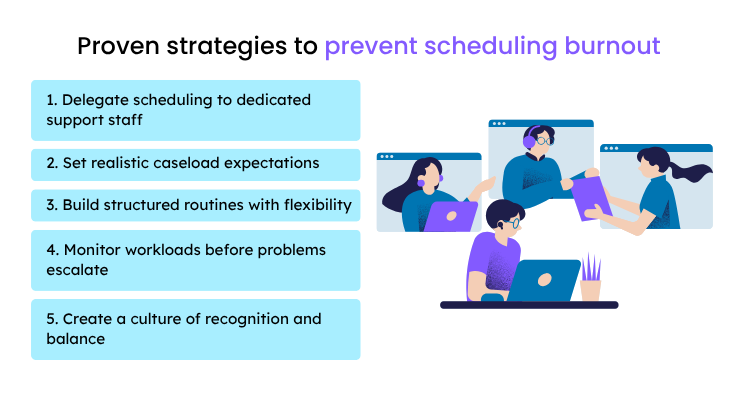
Proven strategies to prevent scheduling burnout
This is the core of what works. These are not theories. These are the steps we have seen home care franchise owners take to build sustainable operations.
1. Delegate scheduling to dedicated support staff
The first and most important step is delegating daily scheduling to dedicated support. You cannot grow the business if you are buried in shift coordination.
Many Comfort Keepers franchise owners bring in a dedicated scheduler, either a local hire or a remote team member trained in home care operations. A home care virtual assistant with scheduling experience can manage caregiver-client matching, handle call-outs, and update your scheduling software, all without the cost of a full-time local employee.
At ClearDesk, we have placed remote schedulers with home care agencies across the country. We process more than 55,000 applications per quarter and accept less than 0.5% of candidates. The people we place are not generalists. They are vetted for home care-specific experience before they ever start.
2. Set realistic caseload expectations
One scheduler cannot effectively manage unlimited clients. A reasonable benchmark for a scheduler using good software is roughly 20 to 30 active clients, depending on visit frequency and caregiver stability. Above that, quality starts to slip.
Match workload to capacity before problems start. If your client count is growing, add support before your scheduler hits the wall, not after.
3. Build structured routines with flexibility
Predictable processes reduce daily stress. Set a routine for morning confirmations, shift change communications, and end-of-day check-ins. When the process is clear, your scheduler spends less mental energy figuring out what to do next.
At the same time, build flexibility into the system. Home care is unpredictable by nature. Your process should include a clear protocol for last-minute call-outs so the scheduler is not starting from scratch every time a caregiver cancels.
4. Monitor workloads before problems escalate
Track a few simple metrics weekly: number of open shifts, fill time per shift, call-out frequency, and after-hours contact volume. These numbers tell you when your scheduler is approaching capacity before burnout sets in.
If fill times are rising or after-hours calls are increasing, that is a signal to act. Do not wait for your scheduler to quit before you respond.
5. Create a culture of recognition and balance
Schedulers carry a heavy load. They absorb stress from caregivers, clients, and owners every day. Simple recognition goes a long way: a direct thank-you, a shout-out in a team meeting, or a small bonus when they handle a tough week well.
Set clear expectations around after-hours availability. If your scheduler is expected to be reachable at all hours, you will burn through them fast. Define the boundaries and build backup coverage into your system so no one person is the single point of failure.
How technology and remote staffing reduce Comfort Keepers scheduling burnout
The right combination of tools and people makes scheduling sustainable. Neither alone is enough.
Scheduling software that automates repetitive tasks
Platforms like AxisCare, ClearCare, and HHAeXchange handle the repetitive parts of scheduling automatically. Recurring shifts populate without manual entry. Alerts fire when a caregiver does not clock in. EVV data syncs in real time for compliance purposes.
These tools do not replace your scheduler. They free your scheduler to focus on the work that requires human judgment, like matching a caregiver with the right personality to a specific client, or managing a sensitive conversation with a family.
Remote team members trained for home care scheduling
A remote scheduler trained in home care can manage the full scope of shift coordination from anywhere with a stable internet connection. They work inside your existing software, follow your protocols, and provide consistent coverage without the overhead of a local hire.
Companies like ClearDesk specialize in placing pre-vetted remote schedulers with home care agencies and franchises. Our clients maintain a 4.9 out of 5 satisfaction rating, and our work in remote staffing has been recognized by Forbes. The right remote hire does not feel like a workaround. It feels like a team member.
Real-time communication tools for faster coordination
Tools like Slack, Microsoft Teams, or the built-in messaging inside AxisCare and HHAeXchange let your scheduler reach caregivers instantly, confirm availability, and close the loop without a chain of phone calls.
Mobile access matters here. Caregivers need to receive and respond to schedule updates from their phones. If your communication process still relies on voicemail, you are adding unnecessary delay to every change.
Caregiver training solutions that support scheduler success in franchises
Well-trained caregivers reduce the scheduling burden directly. When caregivers understand expectations, show up reliably, and handle basic issues on their own, your scheduler spends far less time problem-solving.
This is one of the most overlooked caregiver training solutions for franchises. Training is not just about care quality. It is about operational stability.

When caregivers know what is expected and feel supported, they call out less, communicate better, and stay longer. Each of those outcomes directly reduces your scheduler's daily workload.
A real example: what delegation looks like in practice
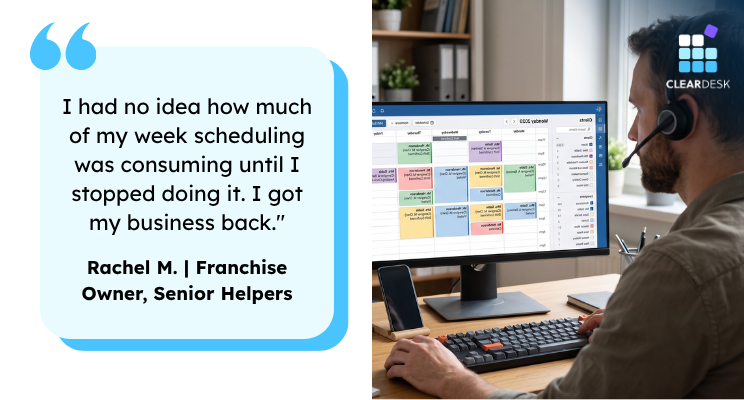
Rachel M., a Senior Helpers franchise owner managing a team of 38 caregivers, came to us after her in-house scheduler resigned with two weeks' notice. She was handling all scheduling herself while also managing referral relationships and compliance reporting.
Within three weeks of bringing on a remote scheduler through ClearDesk, she had handed off all shift coordination, caregiver confirmations, and open-shift management. Her scheduler worked inside ClearCare, followed the protocols Rachel had documented, and was fielding caregiver calls independently within the first month.
Rachel told us: "I had no idea how much of my week scheduling was consuming until I stopped doing it. I got my business back."
That kind of shift is possible when the handoff is structured and the person taking over is already trained for home care operations.
How to transition from doing scheduling yourself to delegating it
If you are currently the one handling scheduling, here is a step-by-step process to hand it off cleanly:
Document your current process. Write down every step: how you confirm shifts, how you handle call-outs, how you use your scheduling software, and how you communicate with caregivers. This becomes the training guide for your new scheduler.
Identify your scheduling software and access needs. Make sure your new scheduler can get full access to AxisCare, ClearCare, HHAeXchange, or whatever platform you use. Set up their login before their first day.
Start with a shadow period. Have your new scheduler observe your process for the first few days. Let them see how you handle a call-out, a last-minute change, and a client request.
Hand off one function at a time. Start with recurring shift confirmations. Once that is running smoothly, move to open shift management. Then hand off caregiver communication. Gradual handoff prevents gaps.
Set a weekly check-in. Meet with your scheduler once a week for the first 60 days. Review open issues, answer questions, and adjust the process as needed.
Define after-hours coverage expectations clearly. Decide upfront who handles urgent calls outside business hours and how. Build a backup plan so your scheduler is not the only option.
Building a scheduling system that scales with your franchise
The goal is not just to fix today's scheduling problem. It is to build a system that grows with your franchise without adding proportional stress.
That means combining the right software with the right people and clear processes. When those three elements are aligned, adding new clients does not require hiring another full-time local employee or burning out your existing team.

Franchise owners who scale successfully treat scheduling as an operational system, not a daily task. They invest in it early, monitor it regularly, and adjust it as the business grows.
If your current setup has you personally filling shifts or managing a burned-out scheduler, it is worth having a direct conversation about what a different structure could look like. Our team at ClearDesk has helped home care agencies and franchise owners build remote scheduling support that works from day one.
Frequently Asked Questions
Q: How much does it cost to hire a dedicated scheduler for a home care franchise? A: The cost depends on whether you hire locally or bring on a remote team member. Remote schedulers placed through staffing partners like ClearDesk typically start around $2,500 per month with no long-term contract required. That is significantly less than a full-time local hire when you factor in salary, benefits, and overhead. The tradeoff in quality is minimal when the candidate is pre-vetted for home care experience.
Q: Can a remote scheduler handle the complexity of home care scheduling? A: Yes, when they are trained specifically for home care. A remote scheduler with experience in platforms like AxisCare, ClearCare, or HHAeXchange can manage caregiver-client matching, shift coordination, EVV compliance checks, and last-minute call-outs effectively. The key is proper onboarding and clear access to your scheduling software and protocols.
Q: How long does it take to train a new scheduler for a home care franchise? A: Training timelines vary based on the candidate's background and your operation's complexity. A pre-vetted remote scheduler with home care experience can often handle core scheduling functions independently within the first two to four weeks. A structured onboarding process, including documented workflows and a shadow period, speeds this up considerably.
Q: What qualifications should a home care scheduler have? A: Look for strong communication skills, attention to detail, and direct experience with home care scheduling software. Prior experience in a home care or healthcare setting is a meaningful advantage. Familiarity with EVV systems and HIPAA-compliant communication practices is also important, especially for franchises operating in states with strict compliance requirements.
Q: How do I know if my current scheduling setup is unsustainable? A: The clearest signs are that you as the owner are personally filling shifts, your scheduler is regularly working after hours, open shift fill times are increasing, or you have lost more than one scheduler in the past year. Any one of these signals a structural problem, not just a staffing problem.
Q: Does ClearDesk only place schedulers for large home care agencies?
A: No. We work with home care agencies and franchise owners of varying sizes, including single-location Comfort Keepers owners managing small caregiver teams. That said, we do not place part-time or generalist staff. Every remote team member we place is vetted for the specific role and industry they are entering. That specificity is what makes the placement work.